OSEP DeHospital Exam Report examines a hospital-themed enterprise penetration testing scenario involving nine interconnected systems, from public-facing web applications to internal Windows servers, SQL databases, client workstations, and Linux management infrastructure. The reviewed report illustrates why advanced penetration testing requires more than identifying isolated vulnerabilities: testers must understand how identity, privileges, network segmentation, and configuration weaknesses combine to affect an organization.
This analysis summarizes the security domains represented in the DeHospital report, explains the professional skills involved, and connects those observations to OffSec’s PEN-300 curriculum. It does not reproduce confidential examination solutions, passwords, hashes, proof values, or machine-specific exploitation instructions.
What Is the OSEP DeHospital Exam Report?
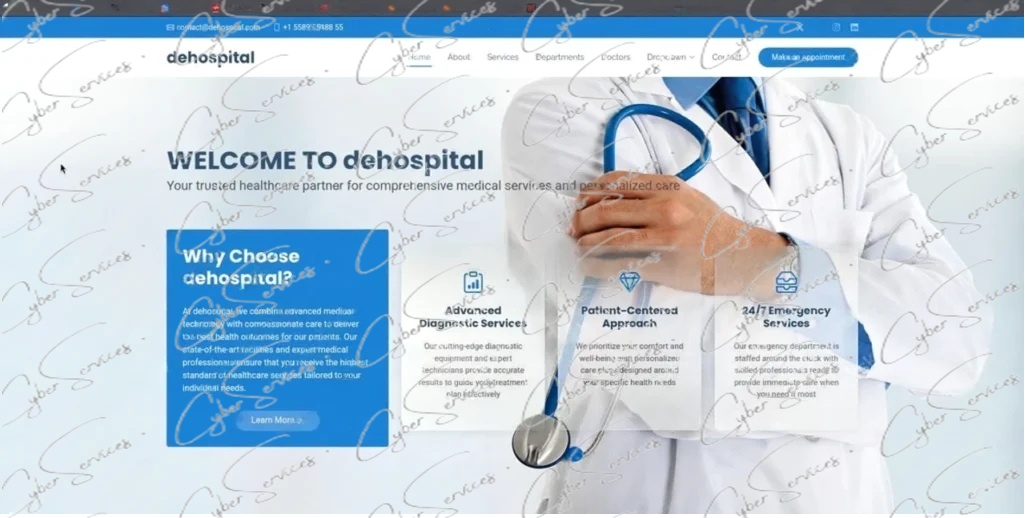
The OSEP DeHospital Exam Report is a technical report associated with a multi-stage enterprise security assessment scenario. The environment uses a hospital website as part of a broader infrastructure containing Windows and Linux systems, internal services, database servers, and organizational identities.
According to the reviewed material, the scenario contains nine principal systems.
| System | Main security focus |
|---|---|
| Hospital web server | File upload security and Windows service privileges |
| Secondary web server | Debug exposure and input validation |
| File server | Internal access, authentication, and Kerberos |
| Client workstation 1 | Credential reuse and endpoint security |
| Client workstation 2 | Email exposure and social engineering risk |
| SQL server 1 | Domain authentication and database access |
| SQL server 2 | Database permissions and host security |
| Jump host | Administrative access and credential protection |
| Linux management server | Sudo permissions and Ansible security |
These are descriptions of the reviewed DeHospital material, not a claim that every current OSEP candidate receives this same environment.
The central learning objective is to understand how apparently separate security weaknesses can create broader enterprise risk.
OSEP DeHospital Attack Chain: Understanding the Security Relationships
The OSEP DeHospital Exam Report is especially useful as a case study in interconnected security boundaries.
An internet-facing application can expose a Windows service identity. The privileges assigned to that identity determine how serious an application weakness may become. Network segmentation then influences whether a compromised system can communicate with internal infrastructure.
Authentication material, user access, database permissions, and management-system configuration introduce additional security considerations.
The important lesson is not a particular sequence of commands. It is the relationship between exposure, access, privileges, trust, and organizational impact.
Web Applications and Initial Exposure
The hospital web application includes an appointment-related feature with file upload functionality. A secondary web service introduces additional application security concerns.
Upload features require careful validation because uploaded content may be processed, stored, or served by systems with more privileges than the submitting user.
Security teams should evaluate file types, content validation, storage locations, execution permissions, access controls, and server-side processing.
Applications should also avoid exposing debugging interfaces or sensitive diagnostic information in production.
Windows Service Privileges and Post-Exploitation Risk
The DeHospital report highlights the importance of Windows service identities and assigned privileges.
A restricted service account may reduce the impact of a compromised application, but excessive permissions can undermine that protection.
Organizations should regularly review IIS application pool identities, Windows services, local security policies, administrative group memberships, and access to sensitive system resources.
The principle of least privilege is particularly important for internet-facing applications.
Network Segmentation and Internal Reachability
The scenario also examines connectivity between externally accessible infrastructure and protected internal systems.
A properly segmented network should restrict unnecessary communication between web servers, workstations, database services, domain infrastructure, and management hosts.
A separate subnet is not sufficient protection if firewall policies permit unrestricted access.
The OSEP DeHospital Exam Report therefore provides a useful framework for understanding how network architecture influences the potential impact of a security incident.
Active Directory, Kerberos and Credential Security
Identity security is one of the recurring themes in the reviewed DeHospital report.
Windows enterprise environments commonly rely on Active Directory to manage users, groups, authentication, and access to shared resources. Weak account separation or excessive permissions can increase the consequences of credential exposure.
Kerberos Authentication
Kerberos allows users and services to authenticate using tickets rather than repeatedly transmitting passwords.
Those tickets and related authentication caches require appropriate protection.
The reviewed report includes Kerberos-related security observations that illustrate the importance of protecting authentication material, restricting access to sensitive files, and monitoring unusual authentication activity.
Credential Reuse and Workstation Security
The client systems in DeHospital illustrate how workstation security and enterprise identity management intersect.
Depending on a user’s role, a workstation may contain browser sessions, documents, email archives, administrative tools, and authentication-related information.
Credential reuse across systems increases the risk that one security incident affects multiple assets.
Recommended protections include unique administrative credentials, least-privilege access, endpoint monitoring, credential isolation, and regular permission reviews.
Administrative Jump Hosts
Jump hosts are intended to provide controlled access to sensitive infrastructure.
Because they are used for privileged administration, their security requirements should be stricter than those of ordinary workstations.
The DeHospital scenario highlights the risks associated with credential storage and administrative access on these systems.
Organizations should enforce dedicated administrator identities, strong authentication, limited network access, centralized logging, and restrictions on unnecessary applications.
SQL Server and Linux Management Security
The OSEP DeHospital Exam Report extends beyond Windows workstations and web applications into database and Linux management infrastructure.
SQL Server and Domain Permissions
The reviewed scenario includes two SQL servers.
Enterprise SQL deployments may use Windows-integrated authentication, making database access closely related to Active Directory identities and group permissions.
A database account should have only the permissions necessary for its business function.
Administrators should review service identities, database roles, linked services, network access, sensitive data exposure, and features that interact with the underlying operating system.
The key lesson is that database privileges and operating-system privileges must be evaluated separately.
Linux Sudo and Ansible
The Linux management system introduces privilege management and automation security.
Ansible can perform powerful administrative operations across managed infrastructure. If its files, execution permissions, or privileged automation workflows are insufficiently protected, a configuration weakness may affect multiple systems.
Security reviews should consider sudo rules, playbook ownership, file permissions, execution context, and access to stored automation secrets.
Management infrastructure should be treated as a high-value administrative environment.
Phishing, Office Macros and Defensive Controls
Another distinctive aspect of the OSEP DeHospital Exam Report is the inclusion of email-related observations and a controlled social engineering scenario.
Employee communications can reveal organizational terminology, internal processes, and business relationships. That information can influence how attackers attempt to impersonate trusted contacts.
The reviewed scenario also discusses Office macro security.
Organizations should restrict unnecessary macro execution, enforce appropriate application policies, inspect suspicious attachments, and monitor unusual application behavior.
Security awareness training remains valuable, but technical controls should reduce reliance on users identifying every malicious message.
These topics connect the DeHospital case study to PEN-300’s broader emphasis on client-side security and breaching enterprise defenses.
What Skills Does the OSEP DeHospital Report Demonstrate?
The reviewed material covers a wide range of advanced penetration testing disciplines.
| Skill domain | What candidates should understand |
|---|---|
| Web security | Application exposure, uploads, and server-side controls |
| Windows security | Service identities, privileges, and local configuration |
| Active Directory | Authentication, identity relationships, and access boundaries |
| Credential security | Storage, reuse, and administrative separation |
| Network security | Segmentation, routing, and internal reachability |
| SQL Server | Database roles and operating-system security |
| Client security | Workstation exposure and social engineering risk |
| Linux security | Sudo permissions and automation governance |
| Reporting | Evidence quality, technical accuracy, and assessment narrative |
The OSEP DeHospital Exam Report demonstrates the value of evaluating these areas together.
In an enterprise assessment, a weakness may appear relatively limited when considered in isolation but become more significant when combined with excessive permissions or unintended trust relationships.
This is why advanced penetration testing reports should explain both individual findings and their combined security impact.
OSEP Exam Reporting Requirements
A major lesson from the OSEP DeHospital Exam Report is the importance of clear technical documentation.
According to OffSec’s official OSEP Exam Guide, candidates receive 47 hours and 45 minutes for the practical examination, followed by another 24 hours to upload their report.
The official exam simulates a corporate network with multiple systems and potentially different routes toward the assessment objectives.
OffSec requires sufficiently detailed documentation of the work performed, including technical steps, commands, supporting output, and required evidence.
Missing documentation can affect scoring even when technical progress was made.
A useful preparation checklist includes:
- Record the authorized scope and relevant host identification.
- Maintain chronological notes for each assessed system.
- Distinguish observations from conclusions.
- Document privilege levels and security impact.
- Capture required evidence during the assessment.
- Review the report for completeness and formatting.
- Follow the official submission requirements exactly.
For actual examination submissions, follow OffSec’s current rules rather than a third-party example.
Read the official OSEP Exam Guide and our Penetration Testing Report Template Guide.
OSEP DeHospital Study Materials and Preparation
Candidates studying the OSEP DeHospital Exam Report should focus on the technical lessons that remain useful across different enterprise environments.
Begin with the official PEN-300 curriculum, which covers advanced penetration testing, client-side security, application controls, and Active Directory attack concepts.
Then reinforce those topics through authorized laboratories and independent technical documentation.
When evaluating supplementary reports, consider whether they explain the environment, provide reliable technical context, and support a deeper understanding of enterprise security.
CyberServices.Store lists DeHospital-related study material within its OSEP resource collection. Review the product description to confirm the available files, coverage, delivery conditions, and intended use.
Explore OSEP DeHospital Study Materials
For broader certification preparation, see our OSEP Latest Dump Preparation Guide.
OSEP DeHospital Exam Report FAQ
What is the OSEP DeHospital Exam Report?
The OSEP DeHospital Exam Report describes a hospital-themed, multi-system enterprise penetration testing scenario involving web applications, Windows and Linux infrastructure, internal networks, and identity security.
How many systems are covered in the DeHospital report?
The reviewed report describes nine primary systems, including web servers, client workstations, SQL servers, a file server, a jump host, and a Linux management server.
Is DeHospital an official OSEP exam environment?
The reviewed material associates DeHospital with OSEP-related examination preparation. However, its presence in the current official exam pool is not independently verified, and candidates should not assume they will receive this environment.
Does the report cover Active Directory?
Yes. The reviewed material includes domain authentication, Kerberos, identity relationships, and Windows enterprise security.
Does DeHospital include network pivoting?
Yes. Network reachability and segmentation are important concepts in the scenario, particularly when evaluating relationships between externally accessible and internal systems.
Are SQL Server and Linux security included?
Yes. The report discusses SQL Server permissions, Windows-integrated authentication, Linux sudo configuration, and Ansible-related administrative security.
Does the scenario involve phishing?
The reviewed material includes an email-related social engineering component and discusses Office macro security.
How long is the OSEP exam?
OffSec’s current guide specifies 47 hours and 45 minutes of practical examination time, followed by a separate 24-hour report submission window.
Can I use a third-party DeHospital report as my official exam submission?
No. Candidates must independently perform and document their own authorized examination work in accordance with OffSec’s rules.
Where can I find OSEP DeHospital study resources?
Visit the CyberServices.Store OSEP resource page for information about available DeHospital-related materials.
Final Thoughts
The OSEP DeHospital Exam Report illustrates how enterprise security depends on the interaction between applications, identities, network boundaries, endpoint protections, databases, and administrative infrastructure.
Its greatest educational value is not a particular machine solution. It is the broader lesson that isolated weaknesses can have greater consequences when combined with excessive permissions, credential exposure, or insufficient segmentation.
For OSEP candidates, the most effective preparation remains official PEN-300 training, independent laboratory practice, careful technical reasoning, and professional reporting.
View OSEP Exam Preparation Resources
Buy this dump:
Vendor: https://www.offsec.com/courses/pen-300/
Check our other certs: https://cyberservices.store/