Anyone who has spent time preparing for Offensive Security-style OSCP Adset Walkthrough labs knows that success rarely comes from a single exploit. More often, it is the result of careful enumeration, attention to detail, and the ability to connect seemingly unrelated findings.
A typical OSCP Adset scenario demonstrates exactly that. During an assessment, attackers frequently move from basic system enumeration to credential discovery, privilege escalation, and eventually domain-level access. The process may appear straightforward when viewed in hindsight, but each step usually depends on information uncovered earlier in the engagement.
This article explores common findings that appear during a realistic Windows-based penetration test, including the use of WinPEAS, the discovery of a Windows DPAPI credential, exposed application secrets such as API_USER and API_PASSWORD, and domain-related artifacts associated with the oscp.exam environment.
Starting with Enumeration
The first phase of any successful attack path is enumeration. Without understanding the environment, it’s difficult to identify weaknesses worth pursuing.
One of the most commonly used tools during Windows enumeration is WinPEAS. The tool gathers a large amount of information from the target system, including:
- User accounts
- Installed software
- Running services
- Scheduled tasks
- Saved credentials
- Interesting files and directories
- Potential privilege escalation vectors
In many cases, WinPEAS highlights information that would otherwise take significant time to discover manually.
For example, while examining a workstation identified as WS01 as r.andrews, an assessor may uncover references to configuration files, stored credentials, or application secrets that deserve closer inspection.
Finding Exposed Application Credentials OSCP Adset Walkthrough
One of the most common mistakes in enterprise environments is storing credentials directly within configuration files.
Developers often create applications that require authentication to external services. During testing, credentials may be hardcoded and later forgotten. As a result, penetration testers occasionally discover values such as:
- API_USER
- API_PASSWORD
These credentials can be located in:
- XML files
- JSON configuration files
- PowerShell scripts
- Backup folders
- Source code repositories
While finding API_USER and API_PASSWORD may not immediately provide administrative access, they often create opportunities for lateral movement or access to internal services.
The key lesson is simple: never assume application credentials are isolated. They frequently lead to additional systems and reveal more about the internal network.
Discovering a Windows DPAPI Credential OSCP Adset Walkthrough
Another valuable source of information during an assessment is the Windows Data Protection API (DPAPI).
A Windows DPAPI credential can sometimes be recovered from user profiles, browsers, applications, or credential stores. These protected secrets are designed to secure sensitive information, but under the right circumstances they can be decrypted.
When access to a user context is available, DPAPI-protected data may reveal:
- Saved passwords
- Browser credentials
- Application authentication tokens
- Service account secrets
In many real-world engagements, DPAPI artifacts become the bridge between local access and broader network compromise.
The importance of these findings should not be underestimated. A single recovered credential can completely change the direction of an assessment.
User Context Matters OSCP Adset Walkthrough
Not all accounts provide the same value.
Suppose an attacker gains access to the environment as OSCP.EXAM\v.perry. At first glance, the account may appear limited. However, examining stored files, profile directories, browser data, and accessible network resources can uncover additional opportunities.
Users frequently save passwords in locations such as:
- Remote Desktop connection files
- Shared spreadsheets
- Internal documentation
- Password managers
- Browser profiles
Even if the account lacks administrative privileges, the information associated with it can be extremely valuable.
This is why experienced penetration testers spend considerable time exploring user-specific artifacts before attempting more aggressive techniques.
Understanding the Domain Environment OSCP Adset Walkthrough
As the assessment progresses, attention typically shifts toward domain infrastructure.
Consider the following environment:
- Domain: oscp.exam
- DC:192.168.xx.206
Domain Controllers are among the most valuable systems within an Active Directory network. They manage authentication, authorization, and directory services for the entire organization.
During enumeration, testers should gather information such as:
- Domain users
- Domain groups
- Trust relationships
- Service accounts
- Group Policy configurations
- Shared resources
Even small pieces of information can contribute to a larger attack chain.
A domain environment often exposes hidden relationships between users, servers, and services that are not immediately visible from a workstation perspective.
Investigating Internal Hosts OSCP Adset Walkthrough
Infrastructure mapping is another critical part of the process.
For example, discovering a system identified as:
Host: 172.16.xx.202
raises several important questions:
- What services are running?
- Who has access to the host?
- Are credentials reused?
- Does the server contain sensitive data?
- Is it connected to the domain?
Internal hosts frequently contain administrative tools, backup files, scripts, or service credentials that can accelerate lateral movement.
Many successful compromises originate from a seemingly insignificant server that receives less monitoring than critical infrastructure.
Domain User Enumeration
As more information becomes available, domain accounts become increasingly important.
An account such as:
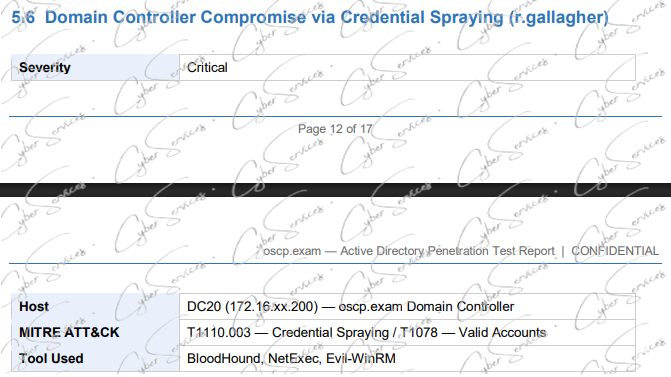
DC User: r.gallagher
may appear in:
- Access control lists
- Shared folders
- Service configurations
- Administrative groups
- Event logs
Understanding how users interact with systems often reveals privilege escalation opportunities.
For example, if a domain user manages a service, owns scheduled tasks, or has delegated permissions, those relationships may provide indirect paths toward higher privileges.
This is why enumeration remains the foundation of every successful engagement. Attackers rarely guess their way through a network. Instead, they build a picture of the environment one detail at a time.
Connecting the Findings
The most effective OSCP-style attack paths are usually built from multiple low-severity findings rather than a single critical vulnerability.
A realistic chain might look like this:
- Run WinPEAS on WS01 as r.andrews.
- Discover configuration files containing API_USER and API_PASSWORD.
- Access additional resources using the recovered credentials.
- Extract a Windows DPAPI credential from a user profile.
- Leverage access associated with OSCP.EXAM\v.perry.
- Enumerate the Domain: oscp.exam environment.
- Identify domain assets linked to DC User: r.gallagher.
- Investigate infrastructure such as Host: 172.16.xx.202 and DC:192.168.xx.206.
Individually, each step may seem minor. Together, they can provide a clear route toward broader access within the network.
Final Thoughts
An OSCP Adset challenge is rarely about finding a single vulnerability. Instead, it tests a candidate’s ability to enumerate thoroughly, analyze findings, and connect information from different sources.
Tools like WinPEAS, exposed credentials such as API_USER and API_PASSWORD, recovered Windows DPAPI credentials, and domain artifacts related to oscp.exam all demonstrate how small discoveries can lead to significant progress.
For aspiring penetration testers, the lesson is clear: pay attention to the details. The information that appears insignificant at first often becomes the key to unlocking the next stage of an assessment.
Vendor: https://www.offsec.com/products/oscp-plus/
Buy oscp+ adset dump: https://cyberservices.store/certificates/oscp-service-list/