
Passing the OSCP without months of open-ended lab wandering is realistic for already-technical candidates, but it demands ruthless focus rather than more hours. If you want to know how to pass the OSCP fast, the honest answer is that speed comes from cutting scope, not cutting understanding: you compress preparation into roughly four to eight weeks of high-intensity study, aim only at high-yield skills, and rehearse the exact exam behaviour instead of chasing every possible topic.
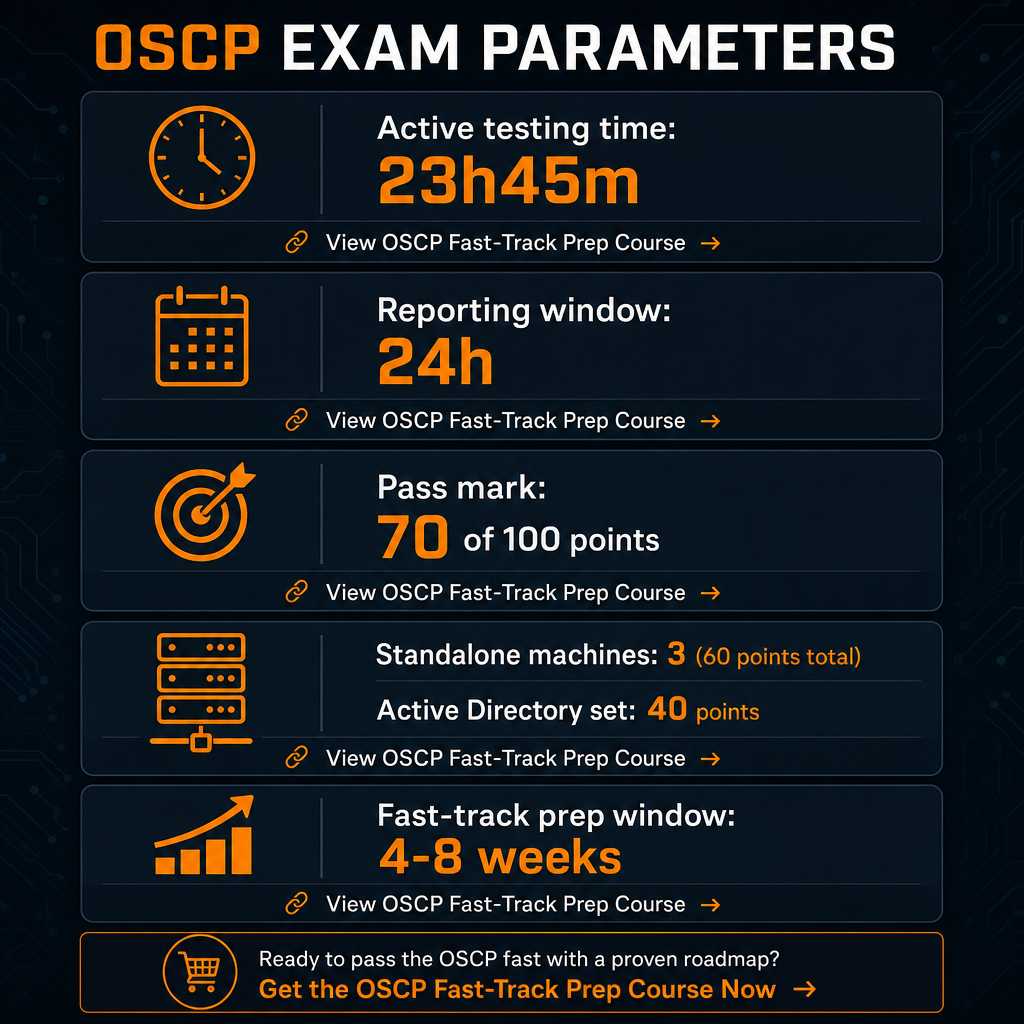
The exam itself is a 23-hour-45-minute remotely proctored penetration test followed by a 24-hour reporting window, and you need at least 70 of 100 points to pass. You attack three standalone machines and an Active Directory (AD) set worth 40 points, then submit a professional report graded against OffSec’s rubric. On the cost side, 2026 pricing typically runs around $1,699 for the standalone exam, roughly $1,749 for the PEN-200 course-plus-exam bundle, and about $2,749 per year for a Learn One subscription, with retakes near $249 once included attempts are exhausted. A fast-track budget for a time-constrained professional therefore centres on $1,699-$1,749 for exam plus a minimum training bundle, with optional mentor-supported resources layered on top to convert weak areas into strengths quickly. Our OSCP resources are built to sit alongside official OffSec materials, not replace the exam requirements.
Table of contents
Prerequisites checklist: are you ready to study less and pass fast?
A compressed timeline only works when a baseline already exists. “Fast” is not a shortcut around fundamentals; it is what happens when fundamentals are already in place and you spend your limited weeks on exam alignment rather than remedial learning. Confirm you can honestly tick these items before committing to a four-to-eight-week plan:
- Comfortable with the Linux command line, basic Windows administration, and networking fundamentals (TCP/IP, routing, DNS).
- Familiar with core tooling: nmap, netcat or socat, SSH, basic Python or Bash scripting, and at least one web proxy such as Burp or ZAP.
- Prior exposure to vulnerability classes: SQL injection, XSS, file inclusion, file-upload flaws, and privilege-escalation basics.
- Able to work in Kali Linux or a comparable penetration-testing distribution, since the OSCP is built around Kali tooling and methodology.
- Willing to follow OffSec’s proctoring, ethics, and exam rules, including no collaboration, no sharing of exam content, and strict ID and environment checks.
- A booked exam date or target month to anchor the compressed plan.
- A realistic time budget of roughly two to three focused hours per day, or equivalent weekend blocks, across the prep window.
If you fall short on more than two of these, slow down and build the missing fundamentals first. Trying to force a fast pass on top of a shaky base usually costs more time than it saves. If you want a structured warm-up path before the compressed sprint, our step-by-step OSCP preparation guide sequences the groundwork in a way that feeds directly into the plan below.
The ordered step sequence to pass the OSCP fast
The plan below is deliberately linear. Each step exists to remove a category of wasted effort, because speed on the OSCP is almost entirely about eliminating trial-and-error hours.
Step 1 – Map the exam before you touch a lab (one focused evening)
Spend a single session with the official OSCP exam guide and body of knowledge so you know precisely what is tested: hands-on exploitation, AD attacks, buffer-overflow workflow, and professional reporting. Internalise the scoring model of three standalone machines totalling 60 points plus a 40-point AD set, with 70 required to pass. The practical consequence for a fast plan is sharp: you must reliably score on at least two standalone hosts plus the AD chain and produce a clean report. You do not need to “do everything” in the course. If the certification’s purpose is still fuzzy, our full OSCP overview frames why each component is weighted the way it is.
Step 2 – Strip the plan to high-yield topics (days 1-3)
From the PEN-200 outline and public body-of-knowledge material, extract only the topics that recur in both success and failure stories, and turn each into a short personal checklist rather than memorised lab notes:
- Enumeration methodology: nmap, service-specific enumeration, web content discovery, and SMB, LDAP, and AD scanning.
- Web exploitation: SQL injection, command injection, LFI and RFI, file-upload bypasses, and authentication flaws.
- Local privilege escalation: Linux misconfigurations (sudo, cron, SUID, PATH abuse) and Windows vectors (services, registry, scheduled tasks, token impersonation).
- Active Directory attacks: Kerberoasting, AS-REP roasting, Pass-the-Hash and Pass-the-Ticket, DCSync, and lateral movement to domain admin.
- Buffer overflow: one solid 32-bit Windows workflow you can repeat under pressure.
- Report writing: clean notes, screenshots, exploitation chains, and remediation advice.
Step 3 – Build a one-page, repeatable methodology (days 3-5)
Define a methodology simple enough to execute while fatigued: recon and baseline scanning, then per-service enumeration, then exploitation that targets low-hanging fruit first (default credentials, trivial web vulns, known CVEs) before deep research, then privilege escalation using standard scripts followed by manual inspection, then the AD chain from foothold to credential harvesting to lateral movement to domain compromise, and finally documentation captured at each key step. The fast-track rule is unforgiving: if you cannot describe your methodology on a single page, it is too complex to run efficiently inside 23h45m.
Step 4 – Compress hands-on practice around exam-style targets (weeks 1-3)
Replace open-ended lab wandering with a tight set of 20 to 30 OSCP-like machines that mirror OffSec’s style, weighted toward web, privilege escalation, and AD chains. Enforce strict time boxes of 60 to 90 minutes per host and move on when stuck, which trains the discipline you need on exam day and avoids the enumerator’s trap. Run at least one full 24-hour mock exam, report included, so your methodology is rehearsed end to end rather than assembled for the first time under real pressure. Every practice hour should refine a checklist, improve speed on a known attack chain, or expose a clear gap to fix. To avoid spinning on random targets, our curated OSCP practice sets pair multiple AD environments with dozens of standalone hosts built to mirror exam behaviour, and you can review the full scope on our OSCP exam support services page.
Step 5 – Attack your weakest domains with mentor support (weeks 3-4)
Failure analysis repeatedly points to four gaps: weak enumeration, over-reliance on tools, poor time management, and confusion in AD environments. Drill each deliberately. Rehearse a fixed service-by-service enumeration checklist until it is automatic. Force yourself to exploit some vulnerabilities manually so tools accelerate rather than replace understanding. Practise rotating between machines instead of sinking hours into one target. And rehearse a complete AD path from foothold to domain admin several times so it stops being mystery territory. This is where mentor-guided review pays for itself, because a second set of eyes can show exactly where your methodology stalls. Our OSCP resources are positioned as instant-delivery, success-focused materials with multiple AD sets and 50-plus standalone practice machines aimed squarely at these gaps.
Step 6 – Lock in logistics, ethics, and stamina (final week)
A fast pass collapses if you trip on rules rather than technique. Validate proctoring requirements (ID, webcam, microphone, room scan, environment) against OffSec’s regulations. Confirm your Kali VM, VPN client, and note-taking and screenshot tools are stable and permitted. Review OffSec’s exam-rules and ethics guidance, and bring nothing that violates the code of conduct. Then plan sleep, meals, and breaks across the 23h45m window so you sustain performance instead of grinding to exhaustion. This step protects your investment and ensures your preparation converts into a legitimate result.
Step 7 – Execute with discipline, then write the report
During the exam, bank easier points first by clearing more straightforward standalone hosts, keep strict per-path time limits and rotate when stalled, and maintain live notes and screenshots throughout. Reports can fail even when the points threshold is met if documentation is thin, so treat evidence capture as part of exploitation. Treat the AD set as mandatory rather than optional, since its 40 points are pivotal to reaching 70 in the current format. When the environment closes, use the 24-hour window to produce a professional report matching OffSec’s expectations for clarity, evidence, and structure. If you want to rehearse that documentation style first, our mentored writeups for related certifications, such as the CPTS exam writeup, model the exact reporting rhythm without forcing you to reinvent a format under deadline.
Common mistakes and troubleshooting when time is short
The same failure patterns derail busy candidates again and again. Recognising them early is the fastest fix available.
| Failure pattern | What it looks like | Time-saving fix |
|---|---|---|
| Over-enumeration | Hours of scanning and data collection with no pivot into attacks | Hard time limits per stage; once basic data is collected, move to exploitation guided by your checklist |
| Tool dependency | Leaning on scanners and frameworks without understanding output, then stalling when they fail | Pair each tool with a manual counterpart; exploit some targets by hand to build intuition |
| Poor time management | Over-investing in one machine and under-attempting others, leaving too little time for the report | Strict time boxing plus a reserved final window purely for screenshots and report assembly |
| Active Directory confusion | Reaching a foothold but never converting it to full domain compromise, losing 40 points | Rehearse at least two complete AD scenarios during prep using realistic environments |
| Documentation gaps | Missing screenshots or incomplete chains causing failure despite sufficient compromise | Capture evidence in every lab and mock exam; treat documentation as part of exploitation |
Mentor-assisted review shortens these troubleshooting cycles by pointing at your specific failure mode before you sit the real exam, which front-loads the fix and saves the hours you would otherwise lose to guesswork.
DIY versus mentor-supported preparation
The defining decision in any fast plan is whether pure self-study is enough or whether structured support will genuinely save time. Lean mostly DIY when you already have extensive hands-on penetration-testing experience, you are comfortable building your own lab, sourcing appropriate targets, and designing mock exams, and you enjoy writing your own methodology and report templates from scratch.
Add mentor-supported resources when you are time-constrained and want a curated path through OSCP-style AD sets and standalone machines instead of searching blindly, when you need targeted help on the common failure domains of AD chains, buffer overflow, or professional reporting, and when you prefer instant-delivery materials with structured guidance over piecing together scattered tips. Mentor-backed resources do not replace OffSec’s requirements, ethics, or exam rules; what they remove is trial-and-error time, which is the single largest lever for passing with less study.
The ideal moment to add support is mid-preparation, once you have understood the exam format and completed at least one mock exam so you know your real weak domains. That is the point where a focused package delivers the most leverage per dollar, and our OSCP exam support services are structured to slot in exactly there and push readiness over the finish line.
Frequently asked questions
How long does the OSCP exam actually last?
The current OSCP exam gives you 23 hours and 45 minutes of active testing time, followed by a separate 24-hour window to write and submit your penetration test report.
What score do I need to pass?
You must earn at least 70 of 100 points, typically across three standalone machines worth a combined 60 points and one Active Directory set worth 40 points.
How much does the OSCP cost in 2026?
Common tiers include a standalone exam around $1,699, a PEN-200 course-plus-exam bundle around $1,749, and subscription options such as Learn One at about $2,749 per year, with retake fees near $249 once bundled attempts are used.
Is passing the OSCP fast realistic without years of security experience?
Yes, for candidates with solid IT basics, scripting familiarity, and disciplined study habits. A focused four-to-eight-week window is workable when you train directly against OSCP-style targets and fix common failure patterns ahead of time.
Will mentor-supported resources conflict with OffSec’s exam rules?
Legitimate preparation that focuses on concepts, methodology, and OSCP-style practice scenarios aligns with OffSec’s performance-based, ethics-focused approach. Always follow OffSec’s proctoring and non-disclosure requirements, and avoid any material claiming to provide real exam questions or flags.