
Passing the HTB Certified Penetration Testing Specialist exam is less about raw hacking talent and more about disciplined, engagement-style preparation. If you already finished the HTB Academy Penetration Tester path, learning how to study for cpts exam effectively usually means 6–10 weeks of focused part-time work rehearsing Active Directory attack chains, multi-host pivoting, and professional reporting. Direct exam cost sits around 210 USD for a standalone voucher, or roughly 490 USD if you need a subscription that bundles the path and a voucher. This guide breaks the process into a concrete prerequisite check, an ordered study sequence, the mistakes that quietly sink strong candidates, and a clear point where mentor support pays off.
Table of contents
What the CPTS exam actually tests
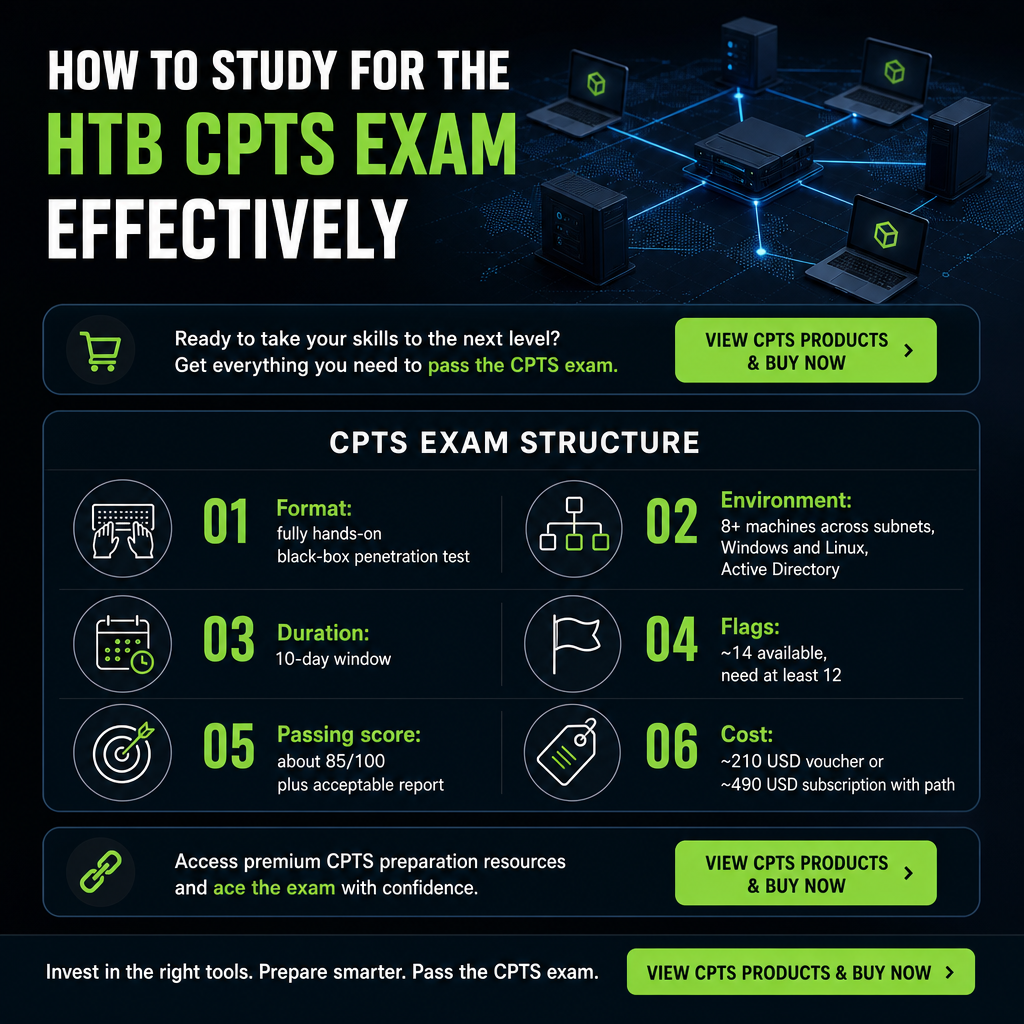
Before building a plan, anchor it to how the exam behaves. CPTS is fully hands-on with no multiple choice: you run a black-box penetration test against a realistic enterprise network of multiple Windows and Linux hosts, usually tied together by Active Directory. Expect roughly eight or more machines spread across subnets, including domain controllers, web applications, and internal services.
The window is strict: you have 10 days to compromise the environment and submit a professional penetration test report. Around 14 flags are available, and you typically need at least 12 of them, corresponding to about 85 out of 100 points, plus an acceptable report. The design intentionally mimics a real client engagement, so you are expected to enumerate, exploit, pivot, escalate privileges, and document impact, not just capture shells.
That structure explains why so many capable operators still struggle. The exam rewards a coherent methodology and clean evidence trail rather than isolated exploits. Our CPTS preparation at Cyber Services is built around this reality, mapping study labs and reporting templates directly to how HTB evaluates you, so time-constrained professionals convert Academy training into exam-ready performance. You can see our full CPTS support scope on the CPTS exam support page.
Prerequisites checklist before intensive study
An aggressive study plan collapses if the foundations are shaky. Confirm each of these is genuinely covered before you commit to exam simulations.
- Academy path completed (100%): All 28 modules of the HTB Academy Penetration Tester job-role path finished and skill assessments passed. This is mandatory to unlock the CPTS exam voucher.
- OS fundamentals from an attacker view: Confident with Linux and Windows service enumeration, privilege escalation, and scripting basics.
- Network and AD basics: Comfortable with TCP/IP, common network services, VPN usage, and core Active Directory concepts such as domains, trusts, group policy, and Kerberos.
- Web application testing: Able to identify and exploit typical web vulnerabilities, including authentication flaws, injection, deserialization, and broken access control.
- Reporting experience: Familiar with professional report structure — findings, risk ratings, evidence, and recommendations.
- A 10-day window: The ability to reserve a stretch where you can dedicate several hours daily, plus buffer time for the report.
- Workspace ready: Browser-based access to HTB infrastructure and Pwnbox or an equivalent setup, reliable internet, and secure storage for notes and screenshots.
If any area feels weak, assign it a dedicated study block before attempting a full exam simulation. Treating the checklist honestly here saves far more time than powering through gaps later. When you want that gap-closing work structured for speed, our mentor-backed CPTS materials align practice labs and reporting templates to HTB’s evaluation criteria, with instant delivery for busy professionals — details are on the CPTS service page.
An ordered study plan for the CPTS exam
This sequence assumes the Academy path is done and spreads across 6–10 weeks of part-time effort.
Step 1: Turn objectives into a skill map
Extract the core domains from HTB’s official CPTS description: Active Directory penetration testing, web application testing, manual and automated exploitation, vulnerability assessment, post-exploitation enumeration, and Windows/Linux privilege escalation. Build a skills matrix that lists which modules, skill assessments, and labs you have completed for each domain, marking them strong, medium, or weak. Prioritize AD exploitation, lateral movement, and reporting, which reviews repeatedly cite as the hardest components.
Step 2: Deepen the exam-critical topics
Reinforce the parts of the path that mirror the exam environment most directly.
- Active Directory attack chains: Re-work enumeration, Kerberos abuse, constrained delegation, misconfiguration abuse, and domain privilege escalation.
- Internal network exploitation: Practice chained exploitation — web foothold to service exploitation to credential extraction to lateral movement across multiple hosts.
- Privilege escalation playbooks: Build fast Linux and Windows checklists covering SUID checks, misconfigured services, kernel exploits, service account abuse, and scheduled task misconfigurations.
- Reporting on solved labs: Take previously completed HTB labs and write short, structured reports as if they were client engagements, focusing on clear impact and remediation.
Step 3: Build mini-engagements
Stop solving boxes in isolation. Pick several labs that can be logically chained and treat them as one engagement with a single external foothold, several internal pivots, and a domain compromise. Give yourself 2–3 days per mini-engagement to force realistic scoping decisions. For every compromised host, store proof files, commands, and screenshots systematically — the same discipline you will need to demonstrate each of the roughly 14 flags on exam day. Finish each mini-engagement with a brief report covering scope, methodology, findings, and recommendations.
Step 4: Run a full 10-day simulation
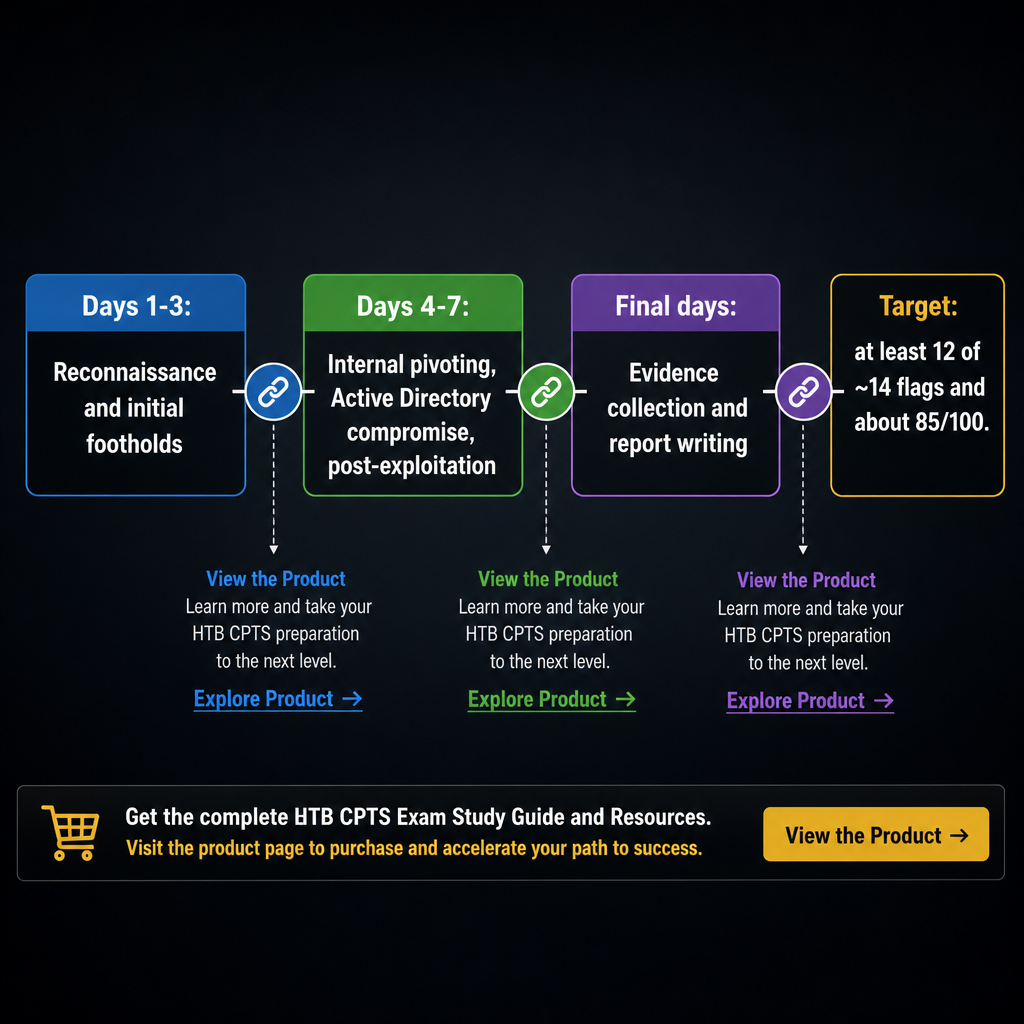
Once mini-engagements feel routine, reserve 7–10 days of controlled time and assemble a composite lab that approximates multiple subnets, domain controllers, external web apps, and internal services. A workable day-by-day rhythm:
- Days 1–3: reconnaissance and initial footholds.
- Days 4–7: internal pivoting, AD compromise, thorough post-exploitation.
- Final days: evidence collection and report writing.
Assign points to objectives and require at least 85% before you call the simulation a pass, matching the real scoring model.
Step 5: Optimize the report for evaluators
A strong technical run can still fail on a weak report. Structure yours with an executive summary, methodology, findings organized by asset or category, proof-of-concept detail, and prioritized recommendations. Write as you hack — record commands, exploit steps, and impact notes in real time to avoid reconstruction errors. Align every flag with clear, traceable evidence: file paths, screenshots, and a concise narrative of how the issue was exploited. Have a peer or mentor review at least one full report to confirm an examiner could follow your story without guessing.
If you want ready-made CPTS-style report templates, example narratives, and reviewer feedback aligned to HTB grading, our mentor-supported CPTS offering is designed for exactly this. It removes the wasted hours of reinventing report structure.
Step 6: The final two weeks
Revisit the medium and weak items from your skills matrix, especially AD misconfigurations and internal lateral movement. Run one short mini-engagement under time pressure — a 48-hour lab sharpens quick scoping and exploitation decisions. Prepare personal checklists for enumeration, privilege escalation, evidence capture, and report structure. Finally, lock in logistics: account access, voucher readiness, network stability, a backup-machine plan, and your personal schedule for the 10-day window.
Common mistakes and how to fix them
Relying only on solo box-solving. Many candidates treat CPTS as a collection of standalone machines, but it is a coherent enterprise engagement with chained attack paths across AD. Shift practice toward multi-host narratives where every compromise feeds the next pivot.
Underestimating reporting. Strong technical results still fail when the report lacks clarity, evidence, or business impact. Treat report writing as a core skill: write as you work, use standardized templates, and get at least one practice report reviewed.
Weak Active Directory skills. Reviews consistently flag AD exploitation and post-exploitation as the toughest part. Re-invest time into AD-focused modules and playbooks for enumeration, attack paths, and persistence.
Poor time management over 10 days. Some candidates burn too many days on early footholds and leave little time for deeper compromise and reporting. Adopt a phased plan — recon, footholds, pivoting, cleanup and report — and enforce time budgets per phase during practice.
Incomplete evidence collection. Missing screenshots or proof files make flags hard to verify and cost points. Create a consistent naming scheme and capture artifacts as you go rather than at the end.
Structured workflows and mentor feedback help you sidestep these failure points using proven study sequences and ready-made tracking frameworks — particularly valuable if you cannot afford multiple exam attempts. Our CPTS preparation service is organized around these exact pitfalls.
DIY versus mentor-supported preparation
There is no single correct path, only the one that fits your experience and available time.
A fully DIY approach makes sense if you already have strong AD, web, and reporting experience from professional pen-testing work, you have 8–12 weeks of flexible study time to design multiple mini-engagements and a full simulation, and you genuinely enjoy building your own lab and tracking system from scratch.
Mentor-supported preparation is the wiser call if you are time-constrained and need a high-efficiency route from “Academy complete” to “exam-ready” in a few weeks; if reporting, exam strategy, or multi-host attack chains are weak spots you cannot easily fix alone; if you have limited room for failure on budget or schedule and want to maximize a first-attempt pass; or if you prefer materials and guidance tailored to CPTS rather than general pen-testing advice.
We built our CPTS support for that second group: instant-access preparation content, guided pathways mapped to HTB’s job-role modules and exam expectations, and mentor feedback aimed at compressing the learning curve. If you are weighing where you sit and want a plan matched to your current skills matrix and timeline, tell us your target exam date and weak areas so we can tailor the recommendation. For broader context on the credential itself, our overview of what the CPTS certification is pairs well with this study plan, and candidates comparing paths often review our OSCP preparation guide alongside it.
Frequently Asked Questions
How long does it realistically take to prepare for CPTS?
For most candidates who have completed the HTB Penetration Tester path, 6–10 weeks of targeted part-time study focused on AD, chained exploitation, and reporting is a realistic window.
What skills are absolutely critical for passing?
You need to be comfortable with Active Directory attack chains, multi-host network exploitation, Windows and Linux privilege escalation, web application testing, and professional reporting.
How many attempts do I get?
Community write-ups indicate multiple attempts are typically available, with specific retake rules defined in HTB’s Academy dashboard and exam policies. These can change, so confirm directly in your exam portal before scheduling.
Is the CPTS exam purely technical, or does reporting matter?
Reporting is a core part of the assessment, not an optional add-on. Your ability to produce a client-grade report with clear evidence and remediation significantly influences whether you pass.
Can I work during the 10-day exam window?
Yes. You control when you use your 10 days, but you must still complete both exploitation and reporting within the window, so plan uninterrupted time each day.