OSCP+ .112 ”TrackPoint Portal” Standalone Machine (10 Points)
Target Infrastructure:
Machine IP 192.168.xx.112 running:
- 80 (Werkzeug httpd 3.1.7 / Python 3.12.4 – TrackPoint IT Service Desk Portal v2.4.1)
- 135, 139, 445 (Microsoft Windows RPC & SMB)
- 5040 (unknown)
- 5985 (Microsoft HTTPAPI httpd 2.0 – WinRM)
- 47001 (Microsoft HTTPAPI httpd 2.0)
- 49664-49669 (Microsoft Windows RPC)
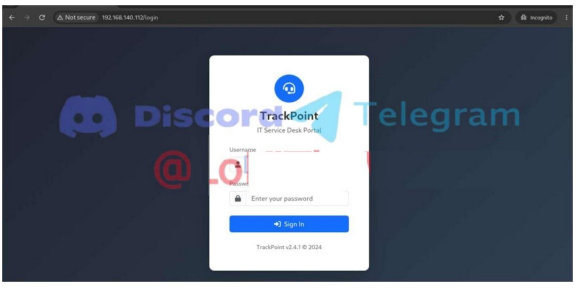
OSCP+ .112 “TrackPoint” Standalone Exploitation Methodology
The OSCP+ .112 TrackPoint standalone exploitation methodology focuses on identifying the attack surface of a Windows standalone target and establishing an initial foothold through systematic web application enumeration. For PEN-200 and OSCP+ preparation, understanding how to move from service discovery to a working shell is an essential part of developing a repeatable standalone exploitation workflow.
The .112 Windows target exposes several services, with the primary attack surface centered around the TrackPoint IT Service Desk Portal v2.4.1 running on port 80. Initial service enumeration identifies the application as running with Werkzeug 3.1.7 and Python 3.12.4, while additional Windows services such as SMB on port 445 and WinRM on port 5985 provide further enumeration opportunities.
Rather than testing unrelated exploits immediately, the methodology begins by mapping the exposed services and analyzing the TrackPoint web application. Particular attention should be given to the authentication mechanism, accessible endpoints, application behavior, input handling, and any functionality that could expose an authentication bypass or another path to initial access.
TrackPoint Initial Access Methodology
The first objective is to understand how the TrackPoint portal processes authentication and user-controlled input. Web enumeration should include application fingerprinting, directory and endpoint discovery, HTTP request inspection, parameter analysis, and manual testing of the login workflow.
Once the vulnerable application behavior is identified, the next stage is to validate the weakness and determine whether it can be converted into command execution or another reliable foothold. Establishing a stable reverse shell provides the access required to continue local enumeration of the Windows host.
A practical workflow for the OSCP+ .112 TrackPoint standalone machine therefore follows a clear sequence:
Service Enumeration → Web Application Enumeration → TrackPoint Authentication Analysis → Vulnerability Validation → Initial Access → Reverse Shell → Local Enumeration → Privilege Escalation
This approach is useful beyond a single target because it reinforces the structured methodology expected when approaching Windows standalone machines during OSCP preparation.
Target Profile and OSCP+ Exam Preparation
OSCP Candidates: Practice identifying the most relevant attack surface without spending excessive time investigating unrelated services or low-value enumeration paths.
Structured Exploitation: Follow a repeatable process from Nmap and web enumeration through vulnerability validation and initial shell access.
Command Reference: Keep the required enumeration and exploitation commands organized so they can be reproduced accurately during lab practice.
Reporting Practice: Document enumeration results, exploitation steps, evidence, and shell access as you progress. Building this habit makes it easier to produce clear penetration testing documentation and prepare for OSCP-style reporting.
The OSCP+ .112 TrackPoint standalone exploitation methodology demonstrates why disciplined enumeration is often more valuable than immediately searching for public exploits. By understanding the exposed services, investigating the TrackPoint portal, validating the vulnerable application behavior, and establishing a reliable foothold, candidates can practice a methodology that transfers directly to other Windows standalone targets.