Your OSCP exam gives you three standalone machines and one Active Directory set. We sell the full report for each one — the attack path, the exact commands, and the screenshots. Work out which targets you have, take those reports, or take the bundle and skip the guesswork.
Last updated: September 2026


Bundles and passes
The complete bundle: 52 machines and 9 AD sets
Every report we have for the OSCP+, in one purchase.
- All 52 standalone machine reports
- All 9 AD set reports
- Elite Early Access included free
- Instant delivery, lifetime access
Offer ends soon
Crypto, card, PayPal, Apple Pay and Google Pay accepted. Delivered instantly after payment.
AD set bundle (v1 to v9)
Every Active Directory set, so you do not have to work out which one you have.
- AD sets v1 to v9
- Full attack path with the exact commands
- Screenshots of each step and flag
- Instant delivery, lifetime access
Offer ends soon
Crypto, card, PayPal, Apple Pay and Google Pay accepted. Delivered instantly after payment.
Elite Early Access: updates until your exam date
New machines and revisions the moment they land, right up to the day you sit.
- Early access to newly released machines and AD environments
- Priority access to exam-aligned updates
- Content revisions before public release
- New attack vectors and configurations as they are tested
- Updates continue until your exam date
Offer ends soon
Crypto, card, PayPal, Apple Pay and Google Pay accepted. Delivered instantly after payment.
Find the report you need
Every machine, AD set and bundle we sell for the OSCP, with current prices. Search by name, or browse the groups below.
Not sure which one you need? You identify your targets during the exam, then take the matching report.
- Standalone machines. Enumerate your three targets. The last part of each IP —
192.168.x.110,.111,.112— tells you which group below to open. Then match the site or service you can see: MegaTech, Crestline, BarracudaServer, and so on. - Active Directory set. On the first host you compromise, run
whoami /privand compare the privileges you get against the tell listed on each AD set. Only one will match. - Short on time, or not sitting yet. The complete bundle covers every machine and every AD set, so there is nothing to identify in advance.
Written walkthroughs, free to read
Full guides for some of the most-asked-about targets. No purchase needed — they open on our blog.
Bundles
Everything in one purchase, and cheaper than buying the parts separately.
Active Directory sets
Your exam has one AD set. Work out which by the users and privileges you enumerate — each report below lists its own tell.
Standalone machines on .110
Match the last octet of your target's IP: 192.168.x.110.
Standalone machines on .111
Match the last octet of your target's IP: 192.168.x.111.
Standalone machines on .112
Match the last octet of your target's IP: 192.168.x.112.
Other standalone machines
Single-target reports that are not tied to one subnet.
Support and services
Help during the exam and with the report, rather than a written report.
43 items in this catalogue.
What a report looks like
OSCP .110 IMAP – Mailbox stand-alone machine
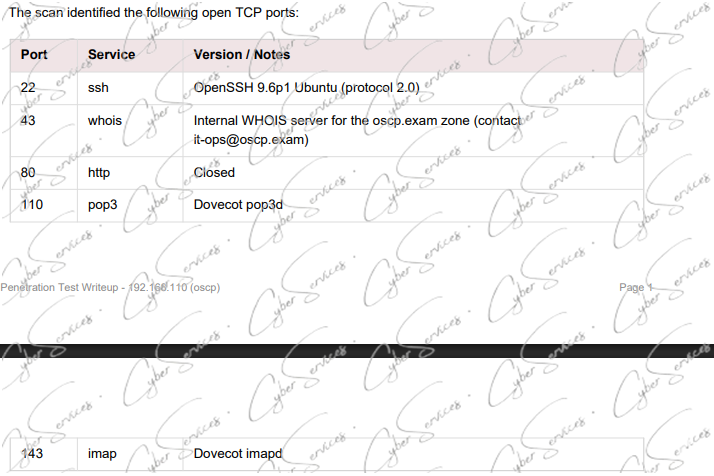
OffSec OSCP+ .110 Standalone Root Access Strategy
Passing your OffSec OSCP+ certification exam requires the tactical ability to rapidly triage and exploit specialized service environments on standalone targets. The .110 machine presents a unique attack surface, incorporating exposed Dovecot POP3 and IMAP services, a standard OpenSSH instance, and an unusual whois service listener. This technical manual provides a structured roadmap to systematically bypass perimeter security, establish a reliable command shell, and execute the necessary privilege escalation steps to obtain full root-level control.
Avoid the pitfall of losing critical exam hours to manual, disorganized enumeration of legacy email protocols or unproductive testing against hardened services. This report optimizes your workflow by focusing exclusively on the most viable, verified exploitation sequences for this specific configuration. We offer a curated collection of battle-tested terminal commands designed to expedite your transition from the initial foothold to total system compromise. By utilizing this structured methodology, you ensure peak efficiency, preserving your focus for the subsequent, high-stakes Active Directory exam requirements.
Buy this:
OSCP+ .110 Rsync Stand-alone machine
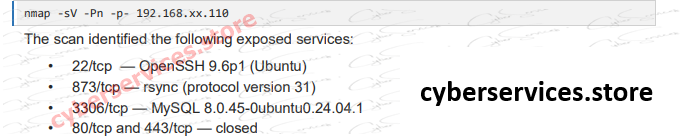
Achieving a passing score on the OffSec OSCP+ exam demands rapid identification of the primary exploitation route on standalone targets. The .110 machine presents a multifaceted environment, featuring an active rsync service (protocol v31), a robust MySQL 8.0.45 database, and an OpenSSH listener. This technical manual provides a structured roadmap to bypass the initial perimeter, establish a stable command shell, and perform the necessary privilege escalation steps to obtain root access.
Do not allow the diverse set of services to derail your enumeration phase. We have distilled the complex attack surface into a direct, high-efficiency workflow that allows you to bypass common pitfalls. This guide offers a comprehensive set of verified terminal commands tailored for this specific configuration, allowing for a swift progression from initial foothold to full root compromise. By adopting this streamlined approach, you will optimize your exam performance and reserve more time for the critical Active Directory challenges.
Buy this machine:
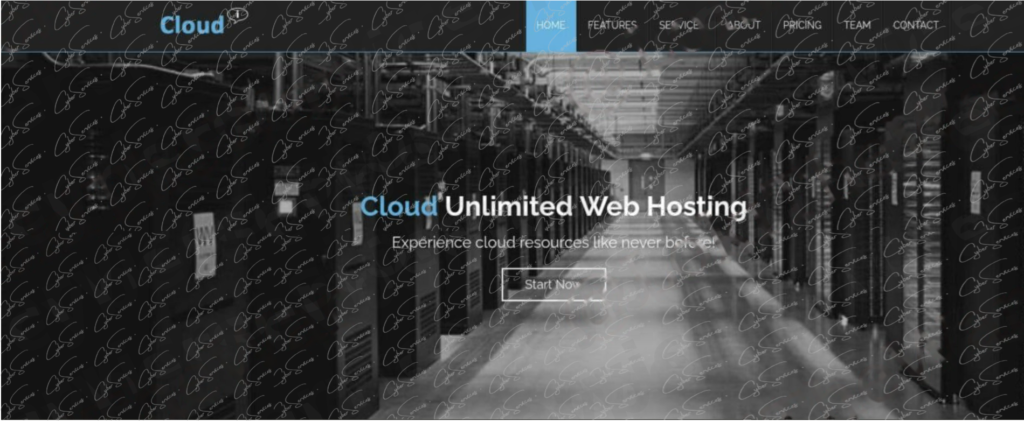
OSCP+ .110 Cloud Best Hosting Stand-alone machine
OffSec OSCP+ .110 “Redis” Root Access Strategy
Success in your OffSec OSCP+ exam requires the ability to rapidly identify and exploit high-impact services on standalone targets. The .110 “Redis” machine presents a critical attack surface, centering on a Redis key-value store (v4.0.14) operating on port 6379, supported by an Apache 2.4.52 web server and an OpenSSH listener. This technical manual outlines a structured approach to systematically bypass perimeter security, establish a reliable command shell, and execute the necessary privilege escalation steps to achieve full root-level control.
Avoid the common mistake of spending excessive exam time manually enumerating every service. This guide optimizes your workflow by isolating the most efficient, verified exploitation paths for this specific machine configuration. We provide a refined, battle-tested set of terminal commands that streamline your transition from initial entry to total administrative compromise. By implementing this methodology, you will significantly reduce your time-on-target, ensuring you retain the focus and capacity required to successfully complete your Active Directory requirements.
Buy this standalone machine :
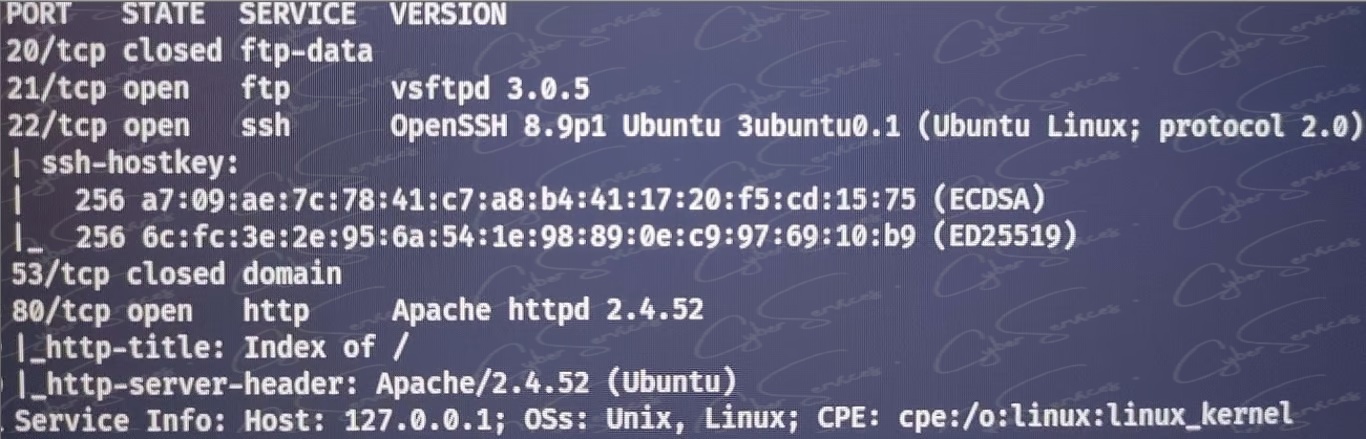
OSCP+ .110 x20 21 22 x53 80 Stand-alone machine
Buy this standalone machine :
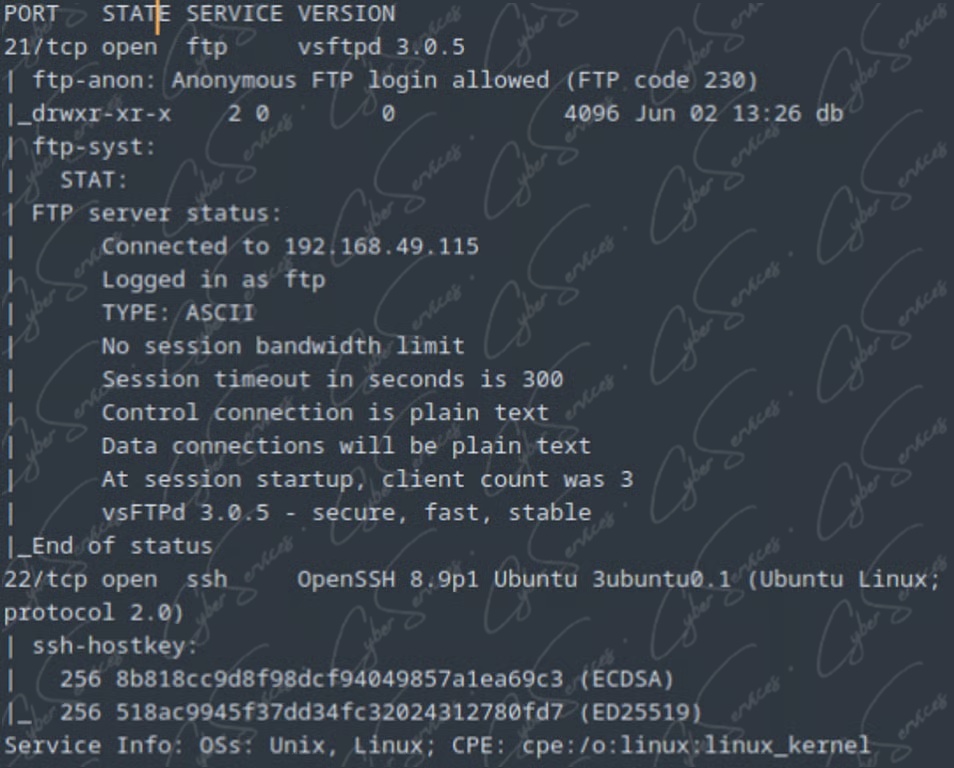
OSCP+ .110 21 22 Stand-alone machine
What’s in every report
Depending on the selected package, study resources may include:
- Detailed walkthroughs
- Active Directory scenarios
- Windows privilege escalation
- Linux privilege escalation
- Web exploitation examples
- Enumeration methodology
- Exam preparation notes
- Practical references
- Structured learning material
Why buy from us
Unlike generic marketplaces, CyberServices focuses exclusively on cybersecurity certification preparation resources.
Our advantages include:
- Updated study materials
- Instant digital delivery
- Secure checkout
- Lifetime download access
- Fast customer support
- Thousands of cybersecurity professionals served
- Regular content updates
Whether you’re preparing for OSCP, OSEP, CRTO, PNPT, CPTS, or OSWE, our goal is to simplify your study process while helping you stay focused on the latest exam objectives.
How we compare with marketplace sellers
| Feature | CyberServices | Typical Marketplace Sellers |
|---|---|---|
| Updated Study Resources | ✅ | Sometimes |
| Instant Digital Delivery | ✅ | Usually |
| Lifetime Access | ✅ | Often Limited |
| Secure Checkout | ✅ | Varies |
| Fast Customer Support | ✅ | Limited |
| Cybersecurity-Focused Store | ✅ | No |
| Regular Catalog Updates | ✅ | Inconsistent |
Built for security professionals
CyberServices was built specifically for cybersecurity professionals.
Instead of offering generic digital products, we focus exclusively on certification preparation resources trusted by penetration testers, security engineers, and red team professionals.
Our mission is to help professionals prepare smarter by providing organized study materials that reduce research time and improve learning efficiency.
About the OSCP exam
Preparing for the OSCP exam requires more than theory. Candidates need structured practice, realistic Active Directory scenarios, privilege escalation techniques, and extensive lab experience. CyberServices provides updated study resources designed to help security professionals organize their preparation and maximize their study efficiency.
What is the OSCP?
The Offensive Security Certified Professional (OSCP) certification is one of the industry’s most respected penetration testing certifications.
It evaluates practical offensive security skills including:
- Enumeration
- Exploitation
- Privilege Escalation
- Active Directory
- Lateral Movement
- Pivoting
- Web Exploitation
- Linux Exploitation
- Windows Exploitation
- Report Writing
Unlike multiple-choice certifications, OSCP requires candidates to compromise real machines in a timed lab environment.
Who these reports are for
This package is ideal for:
- Penetration Testers
- Red Team Operators
- Security Consultants
- Bug Bounty Hunters
- Security Engineers
- Students preparing for OSCP
Whether you’re attempting the certification for the first time or preparing for a retake, organized study resources can significantly reduce preparation time.
Why structured study matters
Many candidates spend hundreds of hours searching across blogs, GitHub repositories, Discord servers, Reddit discussions, and YouTube videos.
Organized study material allows you to:
- Save valuable preparation time
- Focus on practical learning
- Follow a logical progression
- Avoid missing important topics
- Review techniques more efficiently
OSCP vs other certifications
OSCP vs PNPT
OSCP focuses heavily on practical exploitation and Active Directory techniques.
PNPT places additional emphasis on realistic penetration testing methodology, documentation, and professional reporting.
Both certifications are valuable, but they serve slightly different learning objectives.
OSCP vs CPTS
CPTS provides an extensive learning path with structured modules before the exam.
OSCP is generally considered more demanding under time pressure and requires greater independence during the assessment.
OSCP vs OSEP
OSEP expands beyond traditional penetration testing into advanced exploitation techniques including AV bypass, client-side attacks, and advanced offensive tradecraft.
Many professionals pursue OSEP after successfully completing OSCP.
OSCP vs CRTO
CRTO focuses primarily on Active Directory attack techniques and Cobalt Strike operations.
OSCP offers broader coverage across Windows, Linux, web exploitation, and general penetration testing methodology.
Frequently asked questions
Is this suitable for first-time OSCP candidates?
Yes. The resources are designed for both first-time candidates and professionals preparing for another attempt.
Are the study materials updated?
Yes. We regularly review and update available materials to keep pace with current certification objectives.
Is instant delivery available?
Yes. Digital access is provided immediately after successful payment.
Do I receive lifetime access?
Yes. Purchased resources remain available for download through your account.
Can these materials replace lab practice?
No. Practical lab experience remains essential for OSCP success. These resources are intended to complement hands-on practice.
Are these resources useful for Active Directory preparation?
Yes. Many study packages include Active Directory concepts, enumeration techniques, privilege escalation strategies, and lateral movement references.
Which certification should I pursue after the OSCP?
Many professionals continue with OSEP, CRTO, OSWE, or other advanced offensive security certifications depending on their career goals.
Is customer support available?
Yes. Our team is available to assist with order-related questions and download issues.
Can I use these resources for review before my exam?
Absolutely. Many candidates use organized study materials as part of their final revision process.
Why choose CyberServices instead of other marketplaces?
CyberServices specializes in cybersecurity certification preparation resources, allowing us to maintain a focused catalog, regular updates, and support tailored specifically to offensive security professionals.
Yes, the OSCP exam is still highly valid and respected in 2026. It remains one of the most recognized hands-on penetration testing certifications in the cybersecurity industry. Employers continue to value OSCP because it proves real-world offensive security skills, not just theoretical knowledge.
In recent years, OSCP has focused on improving exam clarity and candidate experience rather than making radical changes. The core exam structure remains the same: a 24-hour practical exam followed by a reporting phase. The emphasis on Active Directory attacks, privilege escalation, and manual enumeration has increased, while heavy reliance on automated tools is still discouraged. Overall, the updates aim to better reflect real-world penetration testing scenarios.
OSCP exam updates (last year to today)
Over the past year, the OSCP (Offensive Security Certified Professional) exam has remained largely stable in terms of its core philosophy, but a few practical clarifications are worth noting. The exam is still a 24-hour hands-on penetration testing challenge, followed by a report submission window. Candidates are expected to compromise multiple machines in a controlled lab environment using real-world attack techniques. There have been no radical changes to the exam format, scoring model, or time limits during this period.
In terms of content validity, the OSCP syllabus is still very much up to date. Core skills such as enumeration, privilege escalation, Active Directory attacks, buffer overflows (client-side excluded), and post-exploitation remain central to success. While tools evolve, the exam continues to emphasize methodology over automation, meaning manual exploitation skills and a strong understanding of fundamentals are more important than relying on scripts alone.
Candidates should pay close attention to exam discipline and time management. Over the last year, many failed attempts were linked not to lack of knowledge, but to poor note-taking, inefficient enumeration, or incomplete reporting. Another key point is system stability and preparation—using a clean, well-tested exam setup can prevent costly technical issues.
In short, the OSCP exam is still highly relevant, technically demanding, and aligned with real-world penetration testing. Candidates who focus on fundamentals, practice consistently, and follow a structured approach will remain well-positioned for success.
What is OSCP Clearview Consulting?
OSCP Clearview Consulting is a lab-style environment designed to simulate a corporate network. It helps candidates practice enumeration, privilege escalation, and lateral movement in a realistic setting. Working through OSCP Clearview Consulting scenarios improves both technical depth and exam confidence.
The Role of OSCP Insurance Scenarios
Insurance-themed environments are often used in OSCP-style labs to simulate enterprise infrastructures. These setups typically include misconfigured services, vulnerable endpoints, and domain weaknesses. Practicing in insurance-based scenarios strengthens your ability to identify real-world attack paths and improves your reporting skills.
Why OSCP Megatech Matters
Another important training environment is OSCP Megatech, which focuses on complex attack paths and multi-step exploitation. OSCP Megatech challenges candidates to think beyond basic techniques and apply structured methodologies—an essential requirement for passing the OSCP exam.
Understanding OSCP Adset v4
OSCP Adset v4 is particularly useful for mastering Active Directory attacks. It includes common misconfigurations and real-world vulnerabilities that frequently appear in OSCP-style exams. Practicing with OSCP Adset v4 helps candidates understand domain privilege escalation and post-exploitation strategies.
OSCP Certification & OSCP+ Preparation Resources
Official OSCP+ Certification
Review the official OSCP+ certification details, exam structure, requirements, and OffSec training methodology.
View OSCP+ DetailsOSCP Preparation Services
Explore OSCP preparation services, PEN-200 study resources, lab guidance, and certification support materials.
Explore OSCP ServicesOSCP Study Resources
Read OSCP study guides, preparation strategies, and practical tips to pass the OSCP certification exam.
Read OSCP Guide